Search Results
Ad Finders
Ad Finders automatically search for items of interest to you. You create an Ad Finder in much the same way as you perform a search and in fact can save a search as an Ad Finder. You are then notified daily via email of ads posted to the website in the past day that meet your criteria.
- Free Members receive 1 Ad Finder
- Subscribers receive 5 Ad Finders
- Business Subscribers receive 1 Ad Finder
Additional Ad Finders can be purchased using credits at a cost of 1 credit per week per Ad Finder.
All Ads By Seller
This feature allows you to view all of the ads that are posted by the seller that you are viewing.
History Search Book
For Paid Subscribers, the History Search allows access to an electronic archive of ads placed in the Printed Editions for the past six months in addition to the online ads. You are able see all of these ads by performing a History Search for the exact weeks or range of weeks you specify. You can narrow your search results of the History Search by the same features as a normal Search. See Search (Book). All Registered Members have access to History Search, but only the users with a Paid Subscription will be able to view the ads from the Printed Editions.
History Search Online
History Search allows access to an electronic archive of all the ads placed for the past six months. You are able to view these ads by performing a History Search for the exact weeks or range of weeks you specify. You can narrow your search results of the History Search by the same features as a normal Search. See Search (Online). All Registered Members have access to this feature
Instant Ad Finders
Instant Ad Finders function like an Ad Finder except are run throughout the day. You are notified by email, within 30 minutes of the ad being posted to the website. Subscribers receive 1 Instant Ad Finder. Additional Instant Ad Finders can be purchased using credits at a cost of 3 credits per week per Instant Ad Finder.
My Notes
This page allows you to save important notes and comments about ads for later review. Ad content can be added here from within the detailed view of an ad. Text can be deleted anytime you choose to do so. Clicking on the "Printer Friendly" button cleans up the view to make it format better for printing.
Premium Ads
Premium Ads are used to promote businesses and are placed within given categories appearing in random order based on searches. These ads appear in every 7th slot within a given category. Premium Ads cost 20 credits per week (minimum of 4 weeks) for Free Members and Regular Subscribers. Business Subscribers receive 1 free Premium Ad per week of their subscription and a discount on additional Premium Ads. Additional Premium Ads can be purchased for 15 credits per week (4 week minimum) for Business Subscribers only. Your website is linkable to your Premium Ad at no additional charge. To create a Premium Ad, select My Premium Ads from within My Account.
Radius Search
You have the ability to customize a search radius to display only the ads that are located within a distance you desire. For instance, you can select criteria to show ads located 25 miles from your home zip code, 50 miles from your home zip code, etc. In addition, you may choose a different location other than your home, from an alphabetized table of cities. A default search radius can be set up in My Account under Account Settings.
Search Book
Paid Subscribers will see all the online ads and those from both Printed Editions when doing a search. You can Search ads online by a variety of available features:
-Category
-Keywords
-Price Range
-Radius Search
-Attributes such as Year, Make or Model (based on category)
Once you are viewing your search results, you can change any of the search criteria on the left side of the search page and instantly update your list. You can reorder any of your Search results by clicking on the tab in the search bar for that item such as Price or Distance.
By clicking on the body of the ad, you will be brought to the Detail View. This shows all the pictures, full text and contact information for the ad. Only users with a Paid Subscription will be able to view the ads from the Printed Editions.
Search Online
You can Search ads online using a variety of available features:
-Category
-Keywords
-Price Range
-Radius Search
-Attributes such as Year, Make or Model (based on category)
Once you are viewing your search results, you can change any of the search criteria on the left side of the search page and instantly update your list. You can reorder any of your Search results by clicking on the tab in the search bar for that item such as Price or Distance.
By clicking on the body of the ad, you will be brought to the Detail View. This shows all the pictures, full text and contact information for the ad.
Subscription Overview
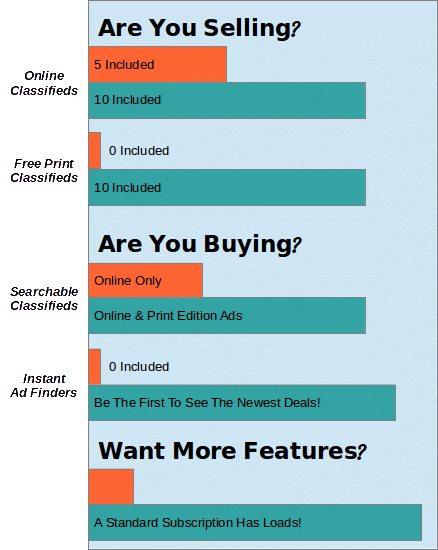
We offer a variety of Online Subscriptions options for customers who would benefit from additional features and benefits on our website.
Subscription packages and rates are tailored to the needs of three distinct audiences.
Standard Subscriptions are for those customers who go online to search and sell regularly.
Finally, we have Business Subscriptions for small businesses,
including some GREAT features such as a free website link to appear with each included ad,
a Premium Ad and many other unique features!
If you would like, you can
view a comparison
of what each subscription package offers and the rates.